Unlocking the Potential: The Multifaceted Benefits of the Hikvision SADP Tool
The Hikvision SADP (Search Active Devices Protocol) tool is more than just a utility for initial device activation. It's a comprehensive solution that streamlines the management of Hikvision security devices, offering substantial benefits in terms of improved device management, enhanced security, and significant time savings. For security installers, system administrators, and end-users alike, understanding the advantages of SADP is crucial for maximizing the efficiency and effectiveness of their security systems.
Improved Device Management with SADP
Effective device management is the cornerstone of a robust security system. SADP simplifies and enhances this process in several key ways:
- Centralized Device Discovery: SADP automatically discovers all online Hikvision devices within the network segment. This eliminates the need for manual IP address scanning, providing a clear and comprehensive view of all connected devices, regardless of their location within the network.
- Effortless IP Address Configuration: One of the primary functions of SADP is to facilitate IP address configuration. The tool allows users to easily assign static IP addresses or configure devices to obtain IP addresses dynamically via DHCP. This simplifies network integration and avoids IP address conflicts, ensuring smooth and reliable device operation.
- Batch Configuration Capabilities: For large deployments, SADP's batch configuration feature is a game-changer. It allows users to simultaneously configure multiple devices with the same settings, such as IP addresses, gateway, and subnet mask. This significantly reduces configuration time and ensures consistency across all devices. Imagine configuring 50 cameras in a new office building – SADP allows this to be done in minutes.
- Firmware Upgrade Management: Keeping device firmware up-to-date is crucial for security and performance. SADP allows users to easily check for and install firmware updates on multiple devices simultaneously. This ensures that all devices are running the latest software, benefiting from the newest features and security patches.
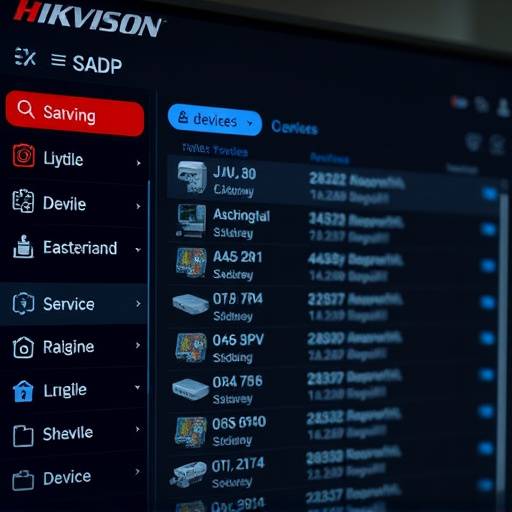
The Hikvision SADP interface offers a clear view of connected devices and their configuration settings.
Enhanced Security Through SADP
Security is paramount in any security system. SADP contributes significantly to enhanced security through:
- Simplified Device Activation: SADP requires device activation with a strong password before a device can be fully operational. This prevents unauthorized access and ensures that only authorized personnel can configure and access the device. This activation process is a critical first step in securing the device against potential vulnerabilities.
- Password Reset Functionality: In the event of a forgotten password, SADP provides a secure password reset mechanism. This eliminates the need for complex and potentially insecure workarounds, ensuring that access can be restored without compromising security. Sentinel Security Solutions recommends enabling email verification for password resets wherever possible, adding another layer of protection.
- Secure Communication: While SADP itself uses a proprietary protocol, the configurations it facilitates enable secure communication protocols (like HTTPS) on the devices it manages. This is important for protecting data transmitted between the devices and the network. See our SADP Security page for more details.
- Device Health Monitoring: SADP provides basic device health information, allowing administrators to quickly identify and address potential issues before they escalate into more significant problems. This proactive monitoring helps maintain the overall security posture of the system. For example, alerts can be configured within SADP to warn about potential hard drive failures in NVRs and DVRs.
Time Savings and Increased Efficiency
In today's fast-paced environment, time is a valuable resource. SADP offers significant time savings and increased efficiency by:
- Rapid Device Deployment: The automated device discovery and batch configuration features of SADP dramatically reduce the time required to deploy and configure new security devices. This allows installers to complete projects faster and more efficiently, improving profitability and customer satisfaction.
- Simplified Troubleshooting: SADP provides valuable information about device status and network connectivity, simplifying troubleshooting and reducing downtime. This allows administrators to quickly identify and resolve issues, minimizing disruptions to the security system.
- Reduced Manual Configuration: By automating many of the tasks associated with device management, SADP reduces the need for manual configuration, minimizing the risk of human error and ensuring consistency across all devices. This reduces the chance of misconfiguration leading to security vulnerabilities.
- Remote Management Capabilities: While SADP typically operates within the local network, its configurations enable remote management capabilities on the devices, allowing administrators to manage and troubleshoot devices from anywhere with an internet connection. This is particularly beneficial for organizations with geographically dispersed security systems.
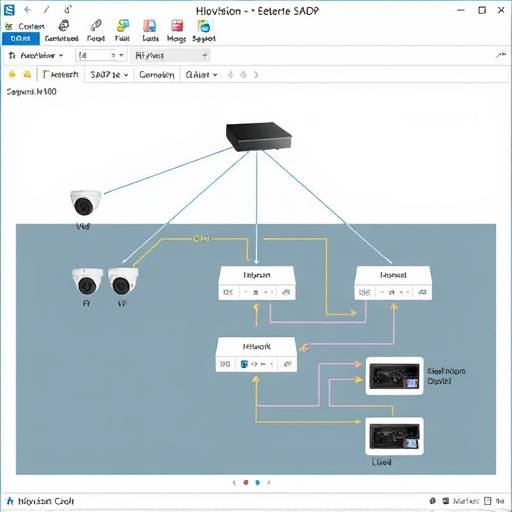
A typical network deployment scenario showcasing Hikvision devices connected and managed.
SADP: A Vital Tool for Security Professionals
The Hikvision SADP tool is an indispensable asset for security professionals. Its ability to streamline device management, enhance security, and save time makes it an essential tool for anyone deploying, managing, or maintaining Hikvision security systems. By leveraging the power of SADP, organizations can ensure that their security systems are operating at peak performance, providing the highest level of protection for their assets and personnel.
For further information and training resources, please contact Sentinel Security Solutions . Our team of experts can provide tailored support to help you maximize the benefits of the Hikvision SADP tool within your specific environment. Contact us at info@sentinelsecuritysolutions.com or call us at (415) 555-0123. Our office is located at 555 Market Street, Suite 1700, San Francisco, CA 94105.